
Freedom for them.Peace of mind for you.
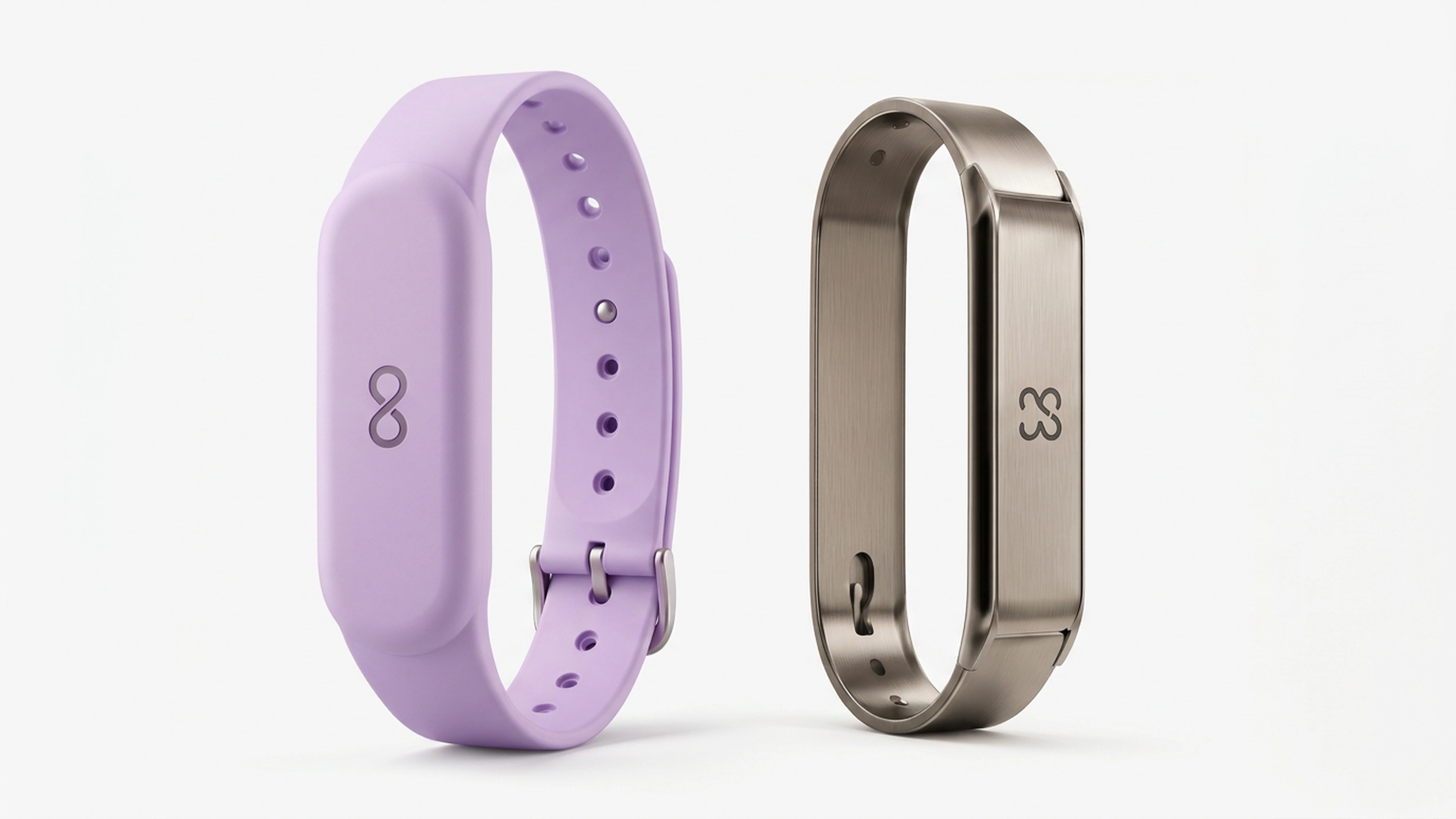
A small capsule clips into interchangeable straps in five colours. Soft, light and made to be worn every day. No screen to distract them.
Concept render · Internal layout illustrative- Capsule shell
- NFC antenna
- Secure chip
- Base clip
- Interchangeable strap
You set
it up.
They tap.
You see
every purchase.
Your own bank card is never stored on the band. It uses its own separate payment credential. Payment partnerships are in development.
Concept · sample dataTap Map · Available in prototypeGPS & safe zones · In developmentWhere they
tapped.
Where they
paid.
And soon,
where they are.
Every tap and payment appears on a map in your app. They show where something happened, not where your child is right now.
Tap records are deleted after 7 days. The GPS version will need charging.
- Tap · Library · 3:42 pm
- Payment · Kiosk · 4:10 pm
- GPS · updated 2 min ago (in development)
- Safe zone · Home
Lost for
a moment.
One tap from
a helper.
Straight to you.
If your child needs help, a trusted adult taps the band with their phone. A web page opens with only the contact details you've chosen, so they can reach you. No app or account needed.
The helper needs an NFC-enabled phone. This isn't an automatic SOS or a call to emergency services.
Demo · fictional namesReadyEverything in
one calm app.
- 1Create an account
- 2Add your child
- 3Scan and pair the band
- 4Set limits and safety info
Pay, Tap Map and safety settings all live in one place. Change limits, pause spending or update emergency details in seconds.
Light & dark mode · sample dataOne little band. Three big ways to stay close. A small capsule that clips into a strap they’ll love.
Beautiful outside, clever inside. Soft, light and made to be worn every day. Concept render; the internal layout is illustrative. Parts: capsule shell, NFC antenna, secure chip, base clip and an interchangeable strap.
Pay — in development, coming with the production band. You set it up, they tap, you see every purchase. Your own bank card is never stored on the band; it uses its own separate payment credential. Payment partnerships are in development.
Locate — the Tap Map is available in prototype; GPS and safe zones are in development. Taps and payments show where something happened, not where your child is right now. Tap records are deleted after 7 days. The GPS version will need charging.
Protect — available in prototype. Lost for a moment, one tap from a helper, straight to you. A web page opens in the helper’s browser with only the details you chose. The helper needs an NFC-enabled phone; this isn’t an automatic SOS or a call to emergency services.
The parent app — ready. Everything in one calm app: create an account, add your child, scan and pair the band, set limits and safety info. Light and dark mode.
Freedom for them. Peace of mind for you. Because even when you’re not there, your love can be. lynked. One tap away.
— INTRO
One little band.
Three big ways to stay close.
One little band. Three big ways to stay close. A small capsule that clips into a strap they’ll love.

— THE BAND
Beautiful
outside.
A small capsule clips into interchangeable straps in five colours. Soft, light and made to be worn every day. No screen to distract them.
Clever inside.
Concept render · Internal layout illustrative- Capsule shell
- NFC antenna
- Secure chip
- Base clip
- Interchangeable strap
Beautiful outside, clever inside. Soft, light and made to be worn every day. Concept render; the internal layout is illustrative. Parts: capsule shell, NFC antenna, secure chip, base clip and an interchangeable strap.

— PAY
In development · coming with the production bandYou set
it up.
They tap.
You see
every purchase.
06 / 06You see the purchase, and get a notification.
- You add a payment card in the Lynked app.
- You top up your child's Lynked wallet.
- You set a daily limit, and can pause spending any time.
- They tap their band on a contactless terminal.
- It's checked against their balance and your limits.
- You see the purchase, and get a notification.
Your own bank card is never stored on the band. It uses its own separate payment credential. Payment partnerships are in development.
Concept · sample dataPay — in development, coming with the production band. You set it up, they tap, you see every purchase. Your own bank card is never stored on the band; it uses its own separate payment credential. Payment partnerships are in development.

— LOCATE
Tap Map · Available in prototypeGPS & safe zones · In developmentWhere they
tapped.
Where they
paid.
And soon,
where they are.
Every tap and payment appears on a map in your app. They show where something happened, not where your child is right now.
Tap records are deleted after 7 days. The GPS version will need charging.
- Tap · Library · 3:42 pm
- Payment · Kiosk · 4:10 pm
- GPS · updated 2 min ago (in development)
- Safe zone · Home
Locate — the Tap Map is available in prototype; GPS and safe zones are in development. Taps and payments show where something happened, not where your child is right now. Tap records are deleted after 7 days. The GPS version will need charging.

— PROTECT
Available in prototypeLost for
a moment.
One tap from
a helper.
Straight to you.
If your child needs help, a trusted adult taps the band with their phone. A web page opens with only the contact details you've chosen, so they can reach you. No app or account needed.
The helper needs an NFC-enabled phone. This isn't an automatic SOS or a call to emergency services.
Demo · fictional namesProtect — available in prototype. Lost for a moment, one tap from a helper, straight to you. A web page opens in the helper’s browser with only the details you chose. The helper needs an NFC-enabled phone; this isn’t an automatic SOS or a call to emergency services.

— THE APP
ReadyEverything in
one calm app.
- 1Create an account
- 2Add your child
- 3Scan and pair the band
- 4Set limits and safety info
Pay, Tap Map and safety settings all live in one place. Change limits, pause spending or update emergency details in seconds.
Light & dark mode · sample dataThe parent app — ready. Everything in one calm app: create an account, add your child, scan and pair the band, set limits and safety info. Light and dark mode.

— EARLY ACCESS
Freedom for them. Peace of mind for you. Because even when you’re not there, your love can be. lynked. One tap away.
05 — MAKE IT THEIRS
One capsule.
Their colour.
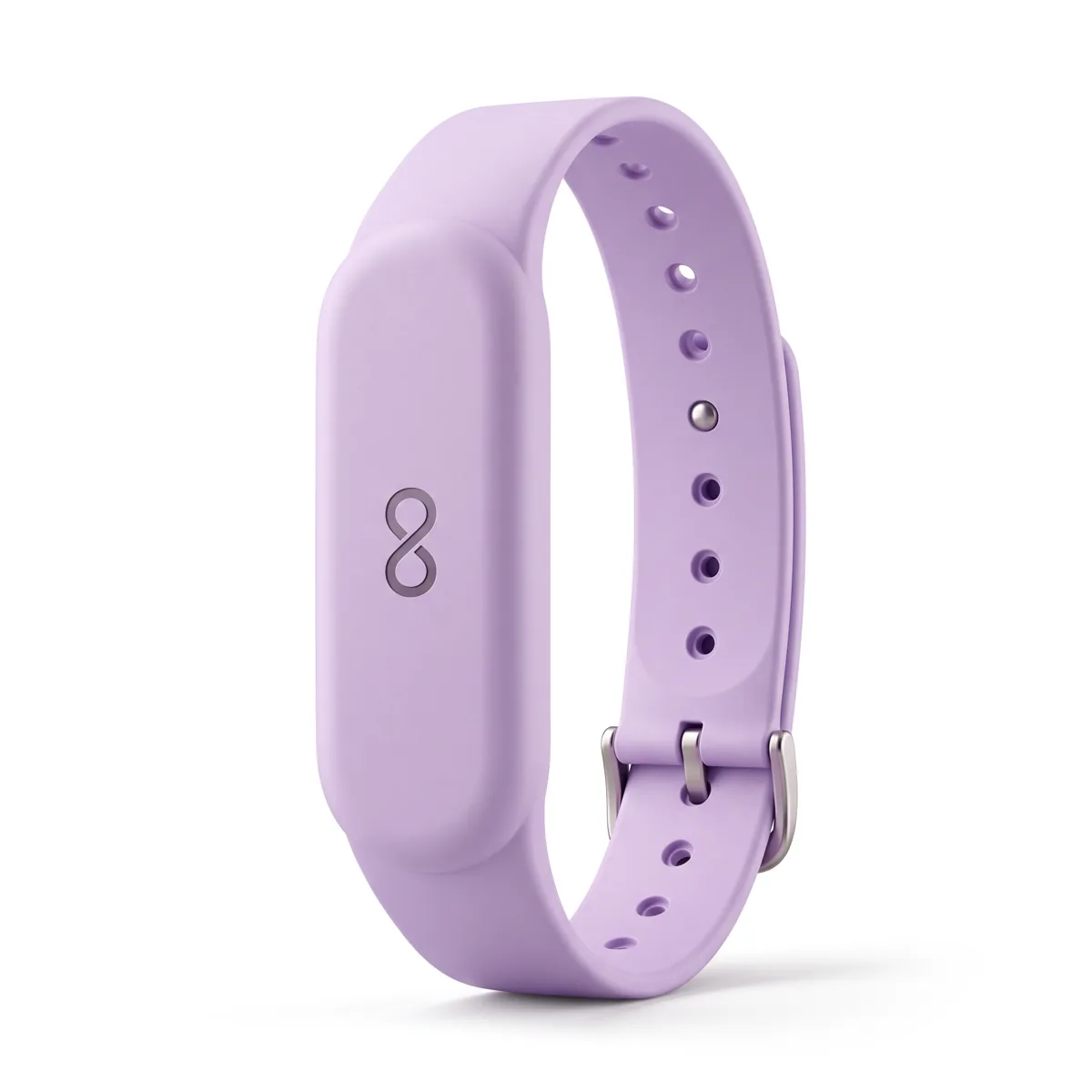
Interchangeable straps in five colours for Lynked Kids, and three finishes for Lynked Pro.
Lilac · Lynked Kids
Concept renderIn detail
The fine print, plainly.
PayIn development · coming with the production band
- 1
You add a payment card in the Lynked app.
- 2
You top up your child’s Lynked wallet.
- 3
You set a daily spending limit — and can pause spending any time with one tap.
- 4
Your child taps their bracelet on a contactless payment terminal. No phone, cash or card needed.
- 5
The payment is checked against their wallet balance and your limits. If there isn’t enough money, the limit is reached or spending is paused, it’s declined.
- 6
You see the purchase in their transaction history — amount, time and where — and get a notification.
- Your own bank card is never stored on the bracelet. The bracelet uses its own separate payment credential.
- Lost the bracelet? Pause it in the app, then link a replacement to the same child profile.
- One parent account can manage several children, each with their own wallet and limits.
Payment and manufacturing partnerships are in development. Payments are not live yet.
LocateTap Map · Available in prototype
- Tap Map — available in prototype. When someone taps the bracelet with their phone, that phone can share its location, with permission. The tap appears on your map with a time and place.
- Payment location — in development. When your child pays, the purchase can show where it happened.
- GPS and safe zones — in development, coming with the production band. The bracelet reports its own location, with the time of the last update shown. You’ll be able to set safe zones (like home) and get alerts when your child arrives or leaves.
- Tap and payment locations show where something happened, not where your child is right now. Tap location records are deleted after 7 days.
The standard band needs no charging. The GPS version will need charging.
ProtectAvailable in prototype
- 1
A helping adult holds their phone near the infinity symbol on Zuri’s bracelet.
- 2
An NFC tap opens a secure link. The helper needs an NFC-enabled phone.
- 3
“You’ve found Zuri’s band” opens in the browser. Only parent-approved details appear; no app or account is needed.
- 4
The helper taps “Call Amara” to reach Zuri’s parent directly.
- 5
With the helper’s permission, their location is shared with Amara. This is a demo, not an automatic SOS.
- You choose exactly what a finder sees in the app (“Band info”) and can update it any time without changing the bracelet.
- The bracelet doesn’t store personal details — it holds a secure link, and the information lives safely online.
- The emergency page keeps working even if payments are paused.
- The app’s safety checklist shows when your child is fully protected.
The helper needs a phone that supports NFC. This isn’t an automatic SOS or a call to emergency services.
Privacy
Private by design.
- Parents control what is shared.
- Children’s data is kept to a minimum.
- Tap locations are deleted after 7 days.
- Each family’s data is private to their own account.
- Payments go through secure, certified partners (in development).
Questions
Good to know.
Does my child need a smartphone?
No — the bracelet is screen-free. You manage everything in the Lynked app.
How do payments work?
You top up a wallet in the app and set limits. Your child taps the bracelet to pay, and you see every purchase. Payments are in development.
Can I see where my child is?
Tap and payment locations show where something happened, not where your child is now. GPS with live location and safe zones is in development.
What happens if the bracelet is lost?
Pause it in the app and link a replacement to the same profile. Anyone who finds it only sees what you’ve chosen.
What does a stranger see when they tap it?
Only the details you choose — their first name, your name, an optional photo and a call button. Never an address.
Does it need charging?
The standard band doesn’t. The GPS version will.